
Disclosure: As an Amazon Associate, we earn from qualifying purchases made through links on this page, at no extra cost to you.
If you want to work standing up for part of the day, you have two main routes: put a desk converter on the desk you already own, or replace that desk with a full standing desk. Both let you switch between sitting and standing, but they differ in cost, space, stability, and how much setup they need. This guide compares them side by side so you can pick the option that fits your desk, your gear, and your daily routine.

What a desk converter actually is
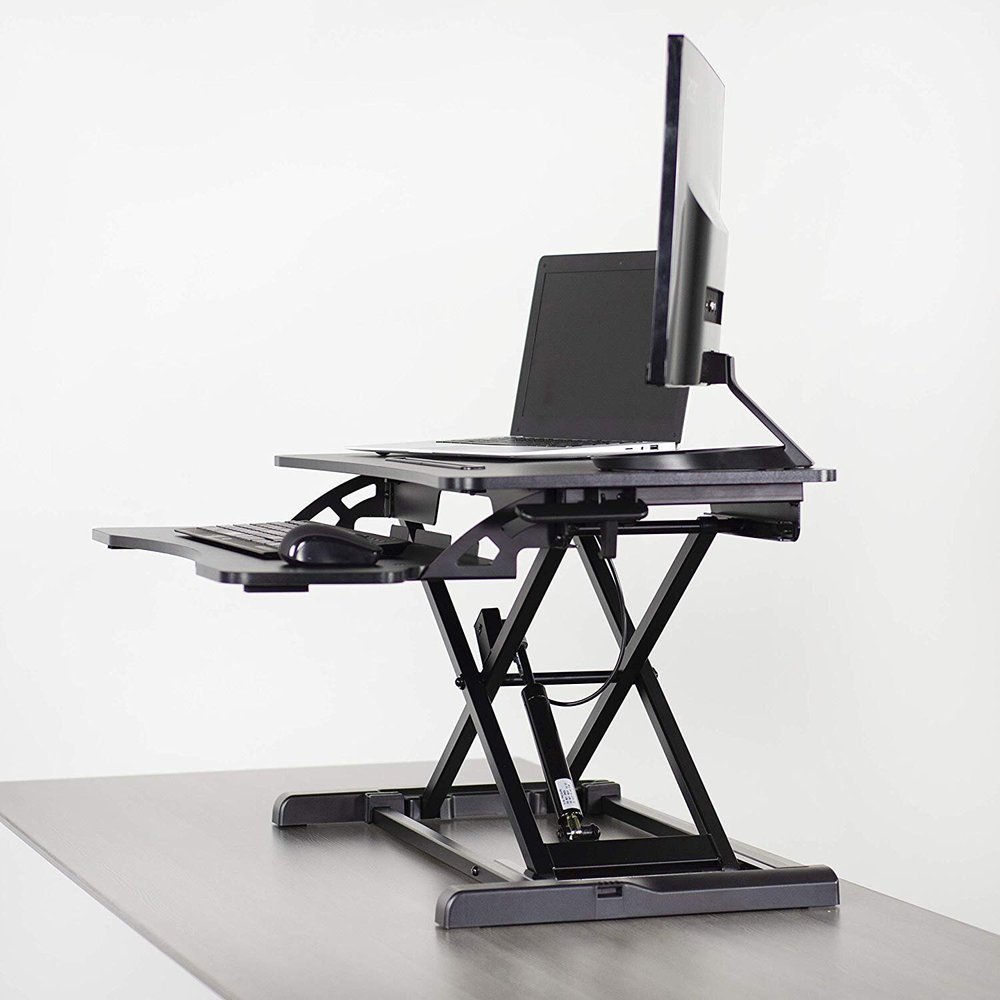
A desk converter, also called a sit-stand riser, is a platform that sits on top of your existing desk. You place your monitor and keyboard on it, then raise the platform when you want to stand and lower it when you want to sit. Most converters use a gas spring or a manual lift mechanism, and many include a separate keyboard tray that drops slightly below the monitor surface.
Converters appeal to people who already like their desk. If your desk fits your room, matches your furniture, and has enough depth for a converter base, a converter adds sit-stand function without replacing anything. It also suits renters and office workers who cannot swap out company furniture.
The trade-off is surface area. A converter adds a second work surface on top of your desk, and that surface is usually smaller than a full desk. A single monitor and a keyboard fit comfortably on most models. Two monitors, a laptop, speakers, and notebooks can get crowded fast, so measure your gear before you buy.
What a full standing desk gives you
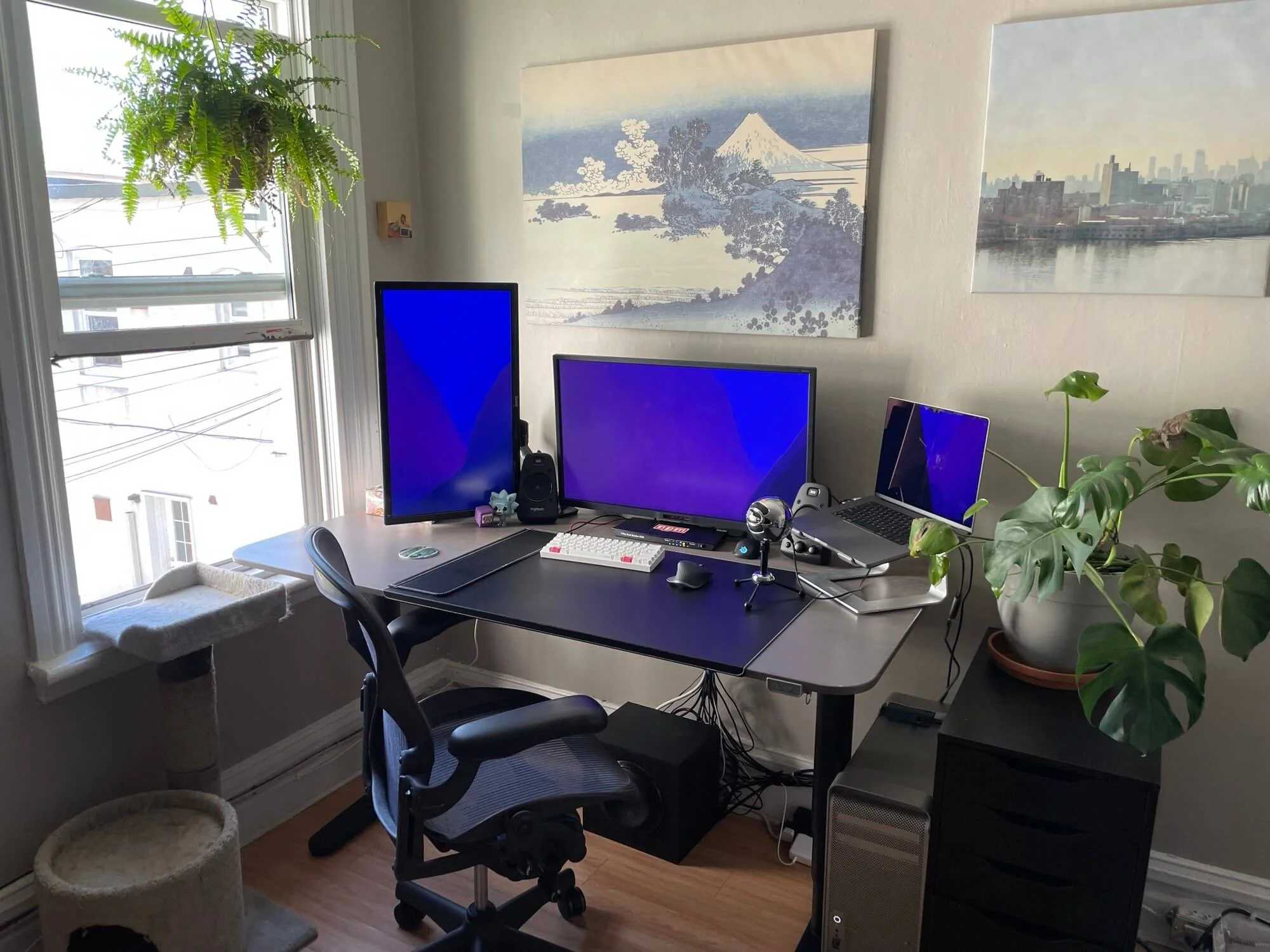
A full standing desk replaces your desk entirely. The whole desktop moves up and down, usually with an electric motor and a handset control. Because the full desktop moves, you keep the same usable surface in both positions, and your monitor, keyboard, and accessories stay exactly where you put them.
Full desks also make cable management simpler in one respect: cables only need to run from the moving desktop to the floor, and many frames include a cable tray or channel for that run. With a converter, you have two levels to manage, the desk surface and the converter platform, and cables can snag when the platform moves if they are not routed with slack.
The main costs are money and effort. A full desk costs more than most converters, and you need to assemble a frame and desktop, then clear out the old desk. If you move often, that is a real consideration. If you plan to stay put for years, the one-time setup usually pays off in daily convenience.

Converter vs full standing desk: the key differences
| Feature | Desk converter | Full standing desk |
|---|---|---|
| What you keep | Your current desk | Nothing, the whole desk is replaced |
| Work surface | Smaller platform on top of your desk | Full desktop that moves as one piece |
| Height adjustment | Manual lift or gas spring on most models | Electric motor with preset controls on most models |
| Monitor capacity | Usually one monitor, sometimes two small ones | Two or more monitors with room to spare |
| Setup effort | Place on desk and adjust, often in minutes | Assemble frame and desktop, then set up gear |
| Best for | Renters, offices, and single-monitor setups | Dedicated home offices and multi-monitor setups |
Space and stability: the two checks that decide it
Start with depth. A converter base needs a solid footprint on your desk, and the keyboard tray extends toward you when raised. If your desk is shallow, the tray can push your chair back or leave no room for your wrists. Check the converter footprint against your desk depth, and leave room behind the unit for the monitor base or arm.
Next, check stability at full height. Converters raise your monitor on a mechanism that sits on a desk, so any wobble in the desk shows up in the monitor. A sturdy desk handles this fine. A light folding table or a thin desktop may flex. Full standing desks have their own stability question, which is how steady the frame feels at standing height with your gear loaded. Our guide to standing desk frames vs full desks covers what to look for in a frame before you buy.
For more on sizing your setup, see our ideal desk height setup guide and our standing desk buying guide. Both help you match desk height and monitor position to your seated and standing posture.
Monitors, keyboards, and accessories
Monitor placement matters more on a converter because the platform is smaller. A monitor arm can help here: it lifts the screen off the platform and frees surface space, and it lets you set the screen at eye level in both positions. See our monitor arm buying guide for mount types and weight limits. A converter paired with a Check price on Amazon works best when the screen setup stays light.
Keyboard position is the second detail people notice. On many converters, the keyboard tray sits lower than the monitor platform, which suits typing while standing. When lowered for sitting, the tray should not force your wrists into an awkward angle. Sit at the converter in both positions before you commit, if you can, or check the return policy if you buy online.
On a full desk, accessories behave the same way they do on a regular desk. A Check price on Amazon gives you the full desktop for a monitor arm, speakers, and notebooks, and an Check price on Amazon pairs naturally with a setup you stand at every day. Cable trays, monitor arms, and desk mats all mount the same way they would on a fixed desk.
Which option fits which situation
Choose a desk converter if
- You already own a desk you like and want to keep it.
- You rent, or your office furniture cannot be replaced.
- You use one monitor and a compact keyboard setup.
- You want sit-stand function with minimal setup and lower cost.
Choose a full standing desk if
- You use two or more monitors, or a wide monitor plus a laptop.
- You want the full desktop to move, with no second platform to manage.
- You are setting up a dedicated home office for the long term.
- You want electric height presets and cleaner cable routing.
Common mistakes to avoid
The most common mistake is buying a converter for a desk that is too small for it. Measure the base footprint, the keyboard tray travel, and your monitor width before ordering. The second mistake is ignoring weight ratings. Add up your monitor, laptop, and anything else that will live on the moving surface, and compare that total with the listed rating for the converter or desk frame.
A third mistake is setting the monitor too low when standing. Your eyes should meet the top third of the screen without tilting your head up or down. A monitor arm or a small riser fixes this on either type of desk, and it is worth sorting out on day one rather than living with neck strain for months.
Bottom line
A desk converter is the practical choice when you want to keep your current desk, work with a single monitor, and start standing with little setup. A full standing desk is the better choice when you run a multi-monitor setup, want the whole desktop to move, and are building a home office to keep. Measure your desk, count your monitors, and pick the option that fits the setup you actually use every day.
If you go the converter route, start with a Check price on Amazon that fits your desk depth and monitor weight. If you go the full-desk route, compare a Check price on Amazon with the frame advice in our standing desk guides, add a Check price on Amazon to free up surface space, and finish with an Check price on Amazon for the spot where you stand.