
Shopping for a sit-stand desk gives you two paths: buy just the frame and add your own desktop, or buy a complete desk with the top included. Both can give you a solid, quiet setup. The right choice comes down to how much control you want over the desktop, how comfortable you are with assembly, and what the frame specs actually cover.
If you are still comparing sit-stand models overall, start with our standing desk buying guide, then come back here for the frame-versus-full-desk decision.
As an Amazon Associate, Ergoluma earns from qualifying purchases.
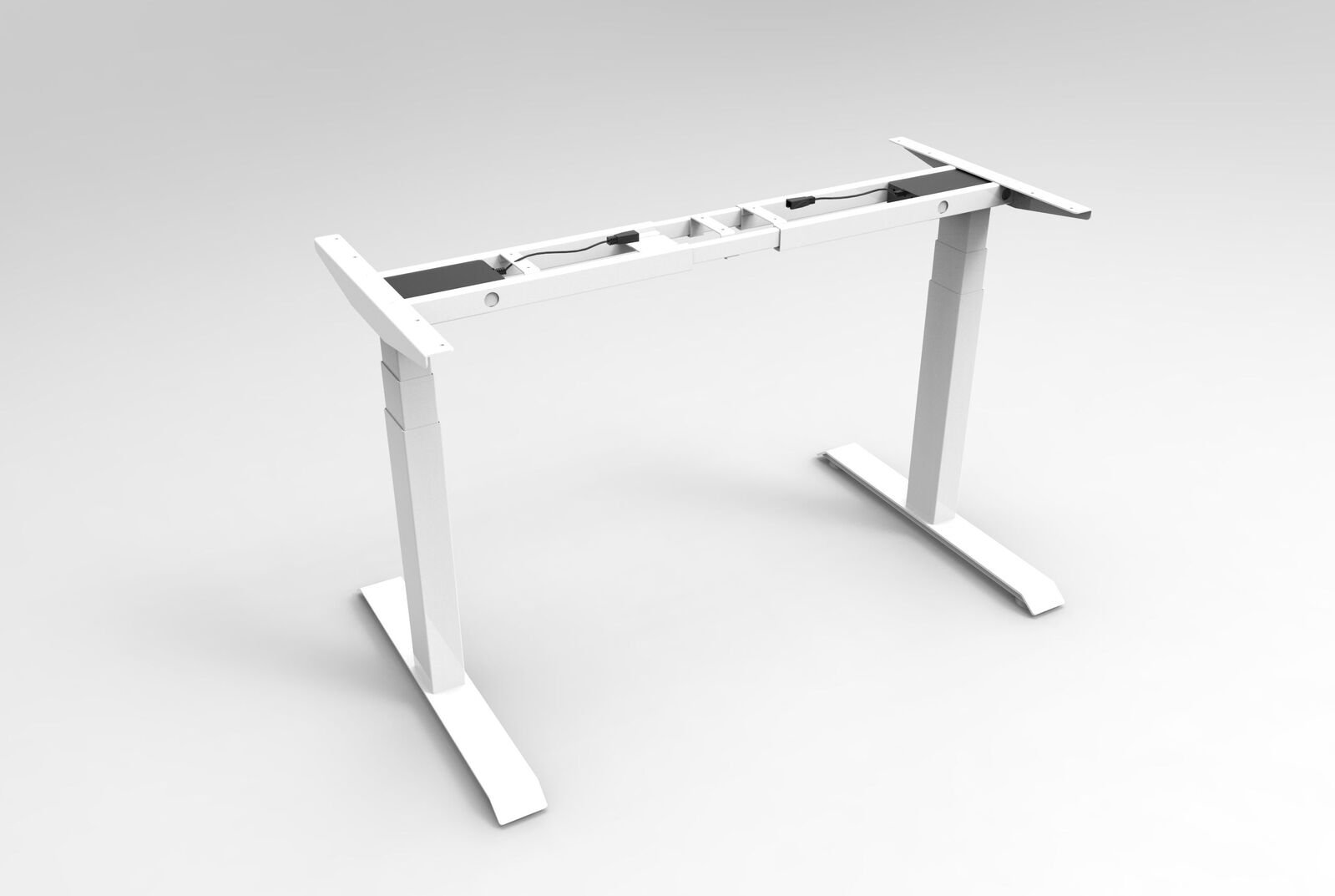
What frame-only and full desk actually mean
A frame-only kit includes the lifting legs, feet, crossbar (on most two-leg designs), control box, and handset. You supply the desktop and the screws that attach it. A full desk ships with a desktop that is sized and pre-drilled, or at least marked, for that frame, with a finish chosen to match the legs.
The frame is where the lifting happens, so it is the part that determines height range, weight capacity, and motor count. The desktop is mostly about size, material, and looks. Splitting the two lets you upgrade one side later, for example pairing a premium frame with a solid wood top the desk brands do not sell.
What to check before buying a frame
1. Desktop size range and mounting points
Frame specs list a minimum and maximum desktop width that the crossbar can support. Measure your desktop, then confirm the range covers it with a few inches of margin on each side. Hole patterns differ between brands, so check whether the frame uses pre-drilled holes, a paper mounting template, or self-tapping screws into a marked rail. Tops made of solid wood or stone almost always need pilot holes drilled first, so factor that into your plan.
2. Your real load: desktop plus everything on it
The weight capacity in the spec sheet is the total load the lifting system is rated for, not just the desktop. Add the top, monitors, PC, speakers, and any accessories before comparing frames. A thick wood top plus two monitors and a PC adds up faster than most people expect, which is one reason heavy tops pair well with dual-motor frames. Check price on Amazon for dual-motor frames and compare each listing’s rated capacity against your total.
3. Single motor versus dual motor
Frames ship with one motor driving both legs through a connecting shaft, or one motor per leg. Dual-motor frames are the common pick for wide desks and heavy tops because each leg lifts its own load. Single-motor frames can be fine for narrower desks and lighter loads. Do not guess from the product photos: the motor count is stated in the specifications.
4. Handset, memory presets, and safety features
Look for a handset with memory presets so you can store your sit and stand heights instead of holding the button every time you switch. Our ideal desk height setup guide walks through how to find those two numbers for your body. Also check for anti-collision sensors that stop the desk if it meets resistance, a child lock if you have kids, and a stated noise level so you know what to expect in a shared room.

5. Feet and glides for your floor
Feet length affects both stability and how close the desk can sit to the wall. Check whether the included glides suit hard floors or carpet, and whether the frame offers leveling feet for uneven floors. If you plan to roll the desk on casters later, confirm the frame supports them; casters raise the minimum height and change stability, so they are worth planning for up front.
6. Cable management and add-on mounts
Many frames include a small cable tray, or let one bolt onto the crossbar. If you plan to add a monitor arm, an under-desk PC holder, or a drawer later, check the frame’s accessory mounts first so you are not drilling blind. A frame you buy today should still fit the accessories you add next year.

When a frame is the better buy
- You already own a desktop you like and just need the lifting base.
- You want a specific top the desk brands do not sell, such as a solid wood or butcher block surface. Check price on Amazon for butcher block desktops sized for desk frames.
- You need an unusual size: extra long, extra deep, or an L-shape built from two frames.
- You enjoy the build and do not mind drilling pilot holes and leveling the top yourself.
- You want to upgrade in stages: a quality frame now, a nicer top later.
When a full desk is the better buy
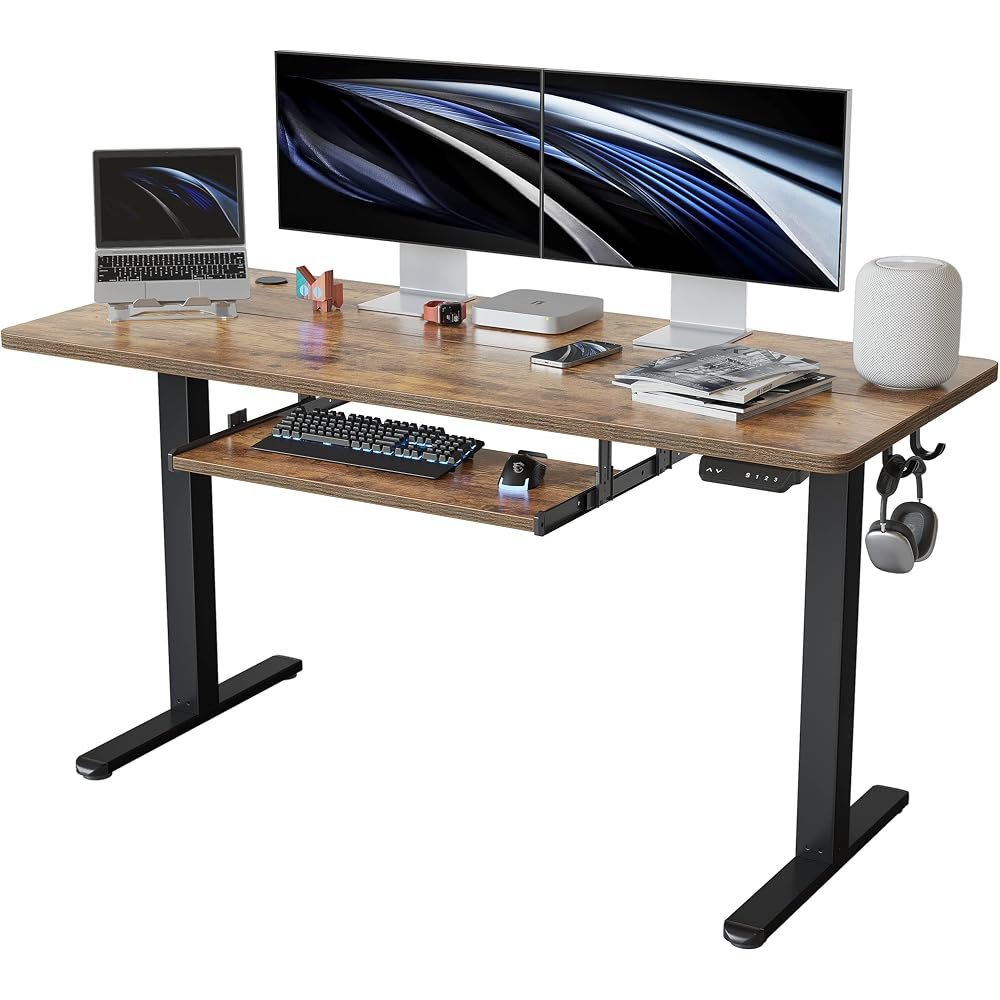
- You want the finish to match out of the box, with no color surprises.
- You want one warranty covering the frame and the top together.
- You want the fastest assembly: pre-drilled holes and one box of matched parts.
- You are buying your first sit-stand desk and want zero guesswork about fit.
- You are furnishing an office where several desks need to look identical. Check price on Amazon for complete electric standing desks.
Frame vs full desk: side-by-side
| Frame-only | Full desk | |
|---|---|---|
| What you get | Legs, feet, crossbar, control box, handset | Frame plus a matched desktop |
| Desktop fit | You choose and mount it; check width range and hole pattern | Guaranteed fit for the included top |
| Finish match | You pick any top; legs come in limited colors | Top and legs ship matched |
| Assembly effort | More: drill or align mounting points, level the top | Less: pre-drilled or marked, one parts list |
| Warranty | Frame warranty only; desktop is yours | One warranty covering everything |
| Best for | Custom tops, odd sizes, staged upgrades | First desks, matching sets, fast setup |
| Price | Check price on Amazon | Check price on Amazon |
Frequently asked questions
Can I put any desktop on a standing desk frame?
Not quite any. The desktop needs to fit the frame’s stated width range, weigh within the rated capacity once your equipment is on it, and accept screws or bolts for the mounting pattern. Most wood tops work well; glass or stone tops need extra care and often a professional install.
Is a frame-only desk less stable than a full desk?
Not automatically. Stability comes from the frame design, how securely the top is mounted, and the total load. A heavy top on a single-motor frame built for light loads will wobble; the same top on a dual-motor frame with wide feet can be rock solid. Match the frame to the load, not the other way around.
Do frame kits include the desktop screws?
Most include common mounting hardware, but the right screw depends on your top’s thickness and material. If the included screws feel wrong for your desktop, buy the correct length and type separately rather than forcing a fit.
The bottom line
Buy the frame when the desktop matters most to you: a wood top you love, a size the catalog desks do not offer, or an upgrade path you want to control. Buy the full desk when you want the whole decision made for you: matched finish, one warranty, and the shortest path from box to first stand. Either way, the lifting hardware does the real work, so compare frames on capacity, motor count, and height range before you compare price tags. And once the desk is set, pair it with a supportive seat: our ergonomic office chair buying guide covers what to look for.
1 thought on “Standing Desk Frames vs Full Desks: What to Check Before Choosing”
Comments are closed.